Set your daily line
Games, minutes, or both. Decide before you sit down, while you are still the person who decides well.
For players who know the loop
You said three games. It is 1am and you are down 40 rating points, still clicking rematch. Chesslimit counts the games you finish and blocks chess when your daily limit is gone.
7-day free trial. $4.99/month or $39.99/year. Requires iOS 16 or later.
Why this is different
Every other blocker guesses at how long an app was open, and gets it wrong — which is why their reviews are full of people locked out at 6am for time they never spent. Chesslimit reads the games you actually finished from the public Chess.com API. A game is counted when it ends. Nothing to argue with.
The product
Games, minutes, or both. Decide before you sit down, while you are still the person who decides well.
Add your Chess.com username. No password, ever — Chesslimit reads only your public game history.
iOS Screen Time shields the chess apps and websites you picked. Not a nag screen you can swipe past.
Block whole windows — nights, work hours, study time — so the day cannot quietly disappear again.
The important part
Making a limit stricter applies right now. Making it looser starts tomorrow. That one rule is the whole product: the version of you who wants five more bullet games at midnight does not get a vote on the limit the version of you at 9am chose.
Chesslimit is also honest with you about what it is. A determined person can revoke Screen Time access in iOS Settings, and no app on the App Store can stop that. The point is to put real friction between an impulse and a rematch, not to pretend a lock is a cage.
Inside the app
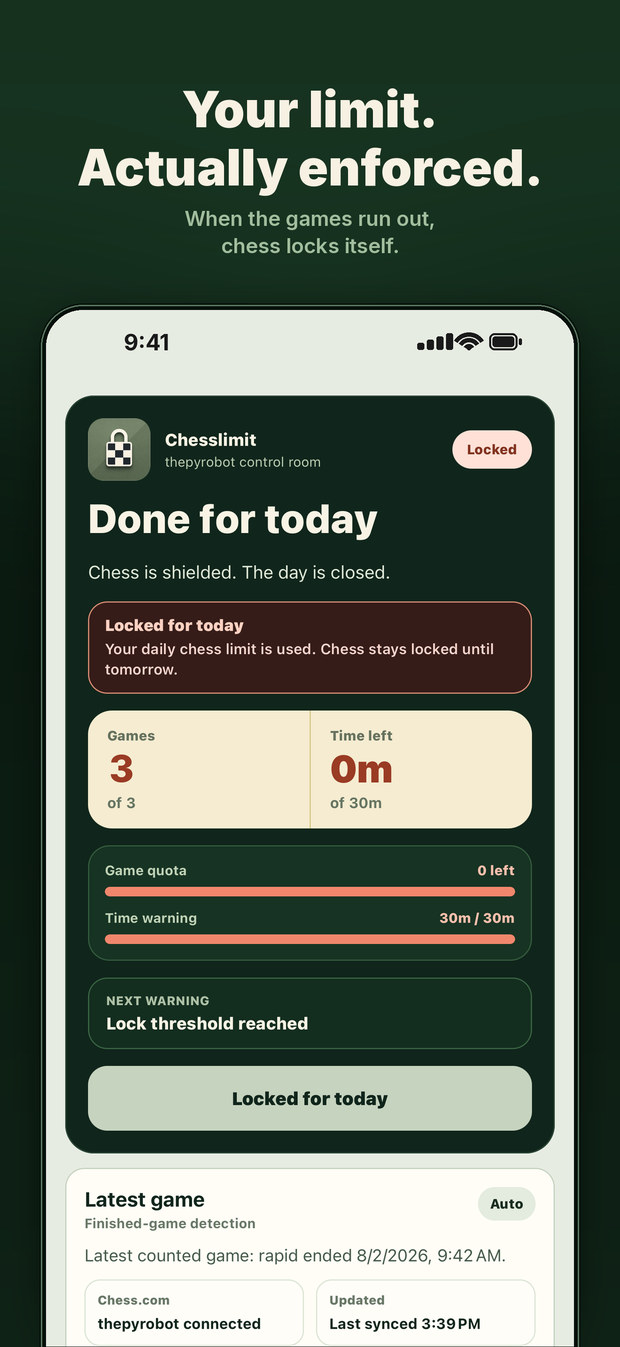
When the games run out, chess locks itself.
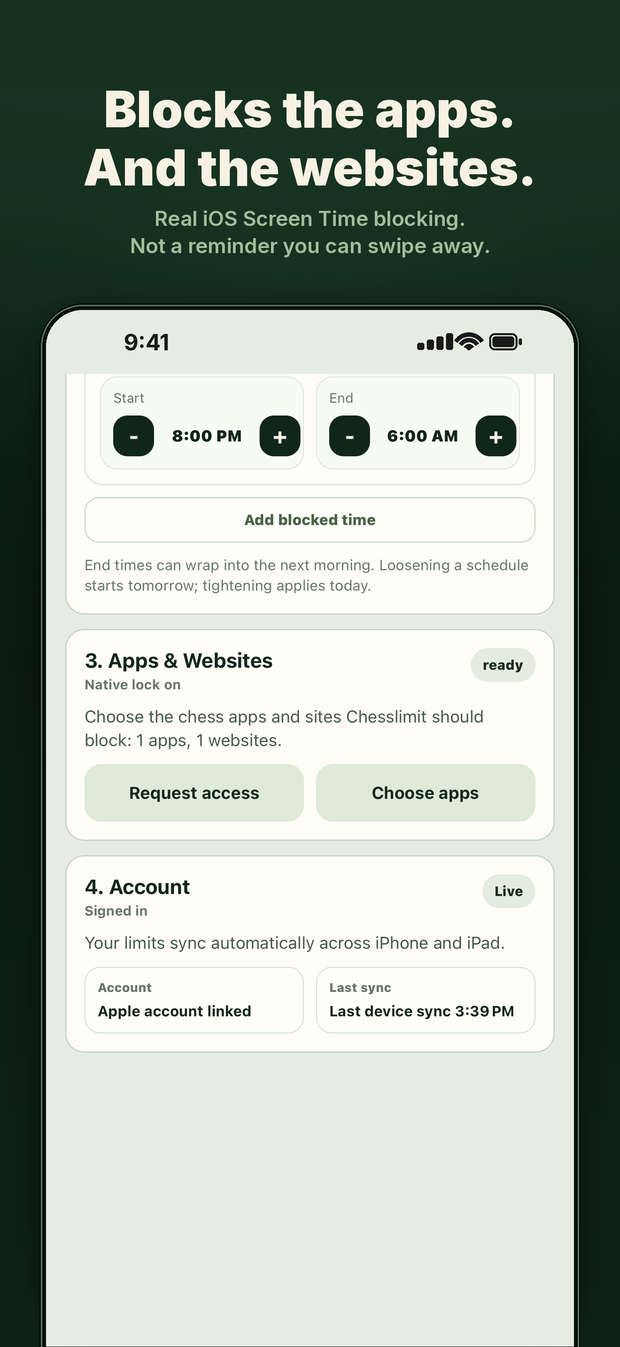
Pick what gets blocked. iOS does the enforcing.
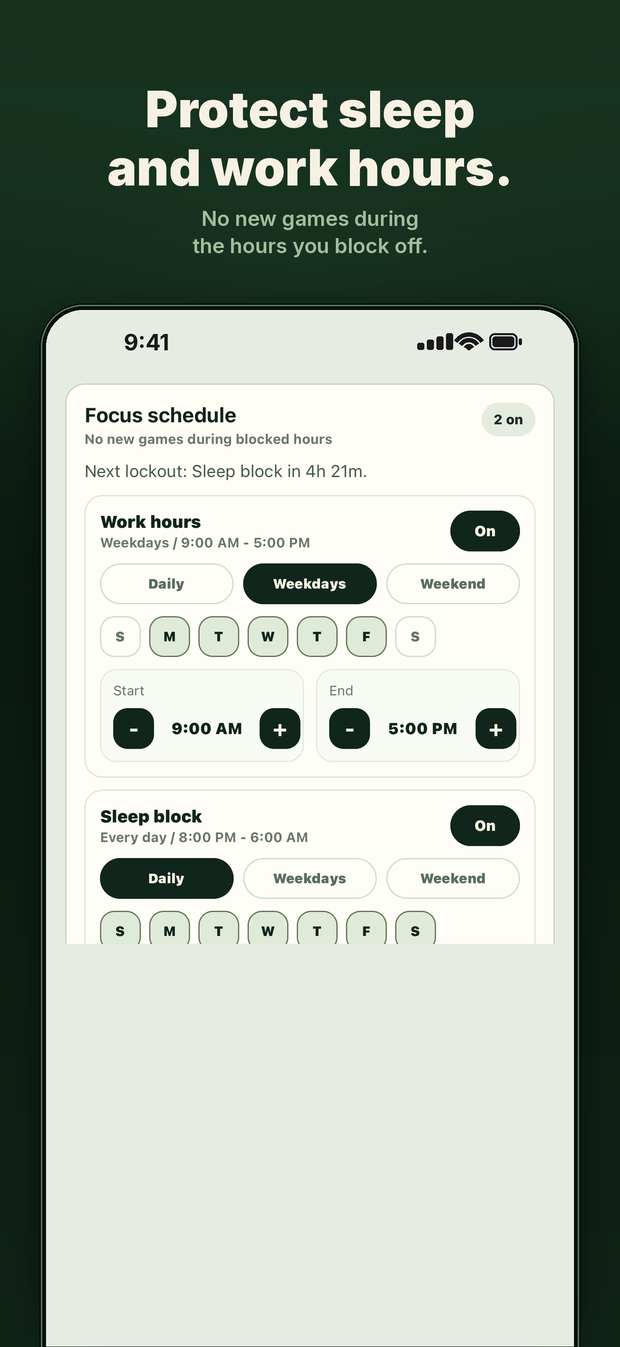
No new games during the hours you block off.
Read first
The honest signs, what the research says about variable rewards, and what to do first.
Every method, from Screen Time to deleting your account — with what each one actually costs.
Why losing makes you queue again, and the three interventions that survive contact with tilt.
The case for and against, plus a middle path that keeps chess in your life.
Questions
No. Only your username, and only to read your public game history. There is no password field.
Apple's Screen Time (Family Controls) framework — the same system behind parental controls. You choose what it may block, and iOS enforces it below the app layer.
It can block the Lichess app and site on a schedule or once your limit is spent. Automatic game counting reads Chess.com today; Lichess counting is next.
Raise the limit the day before, or turn a schedule off — loosening always takes effect tomorrow, so plan it a day ahead. That delay is deliberate.
Ready
Free to download, 7-day free trial, then $4.99 a month or $39.99 a year. iPhone and iPad, iOS 16 or later.